Create Your Personal Finance Tracker
Track your income and expenses easily with our Google Forms template and visualize your financial journey with a custom Looker Studio dashboard.
How to Get Started
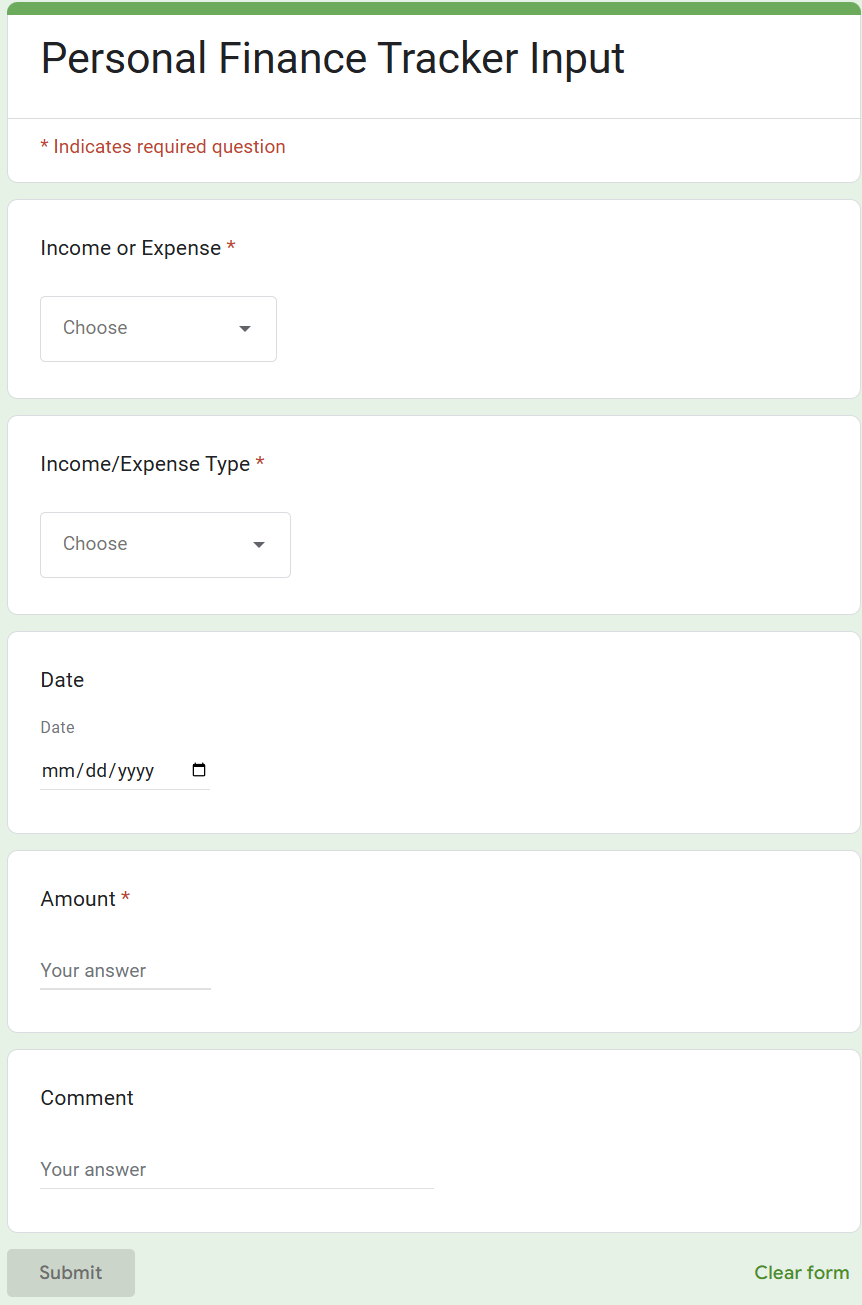
Step 1: Use Our Finance Tracking Form
Click the button below to open the finance tracking form in a new tab:
Open Finance Tracking FormStep 2: Link Google Spreadsheet
Follow these steps to connect your form responses to a Google Spreadsheet:
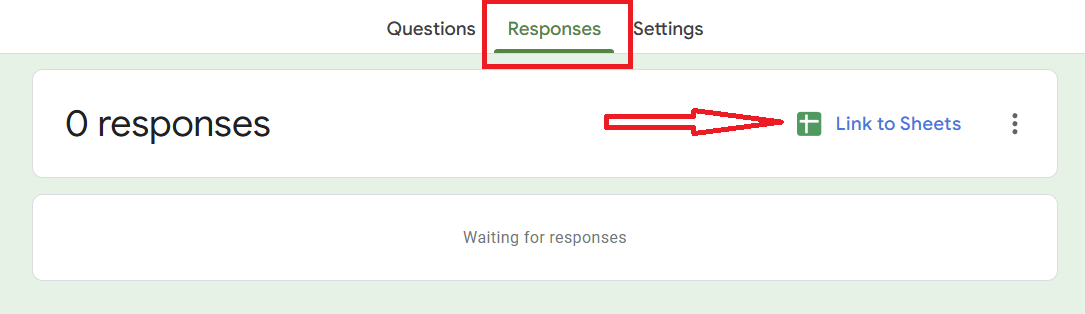
- Go to the "Responses" tab in your Google Form
- Click on the "Link to sheet" button (three dots menu)
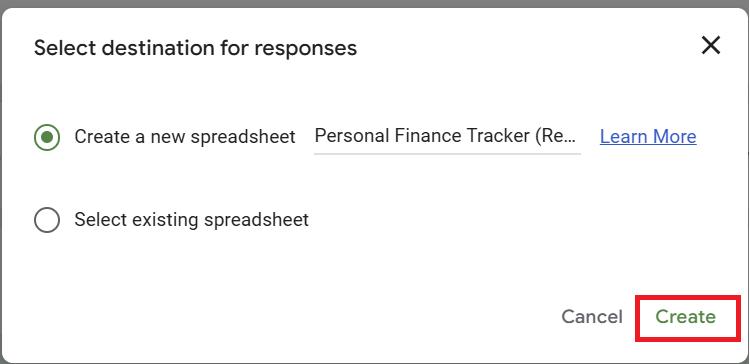
- Select "Create new spreadsheet" or choose an existing one
Step 3: Connect to Looker Studio Dashboard
Use our template to create your personalized dashboard:
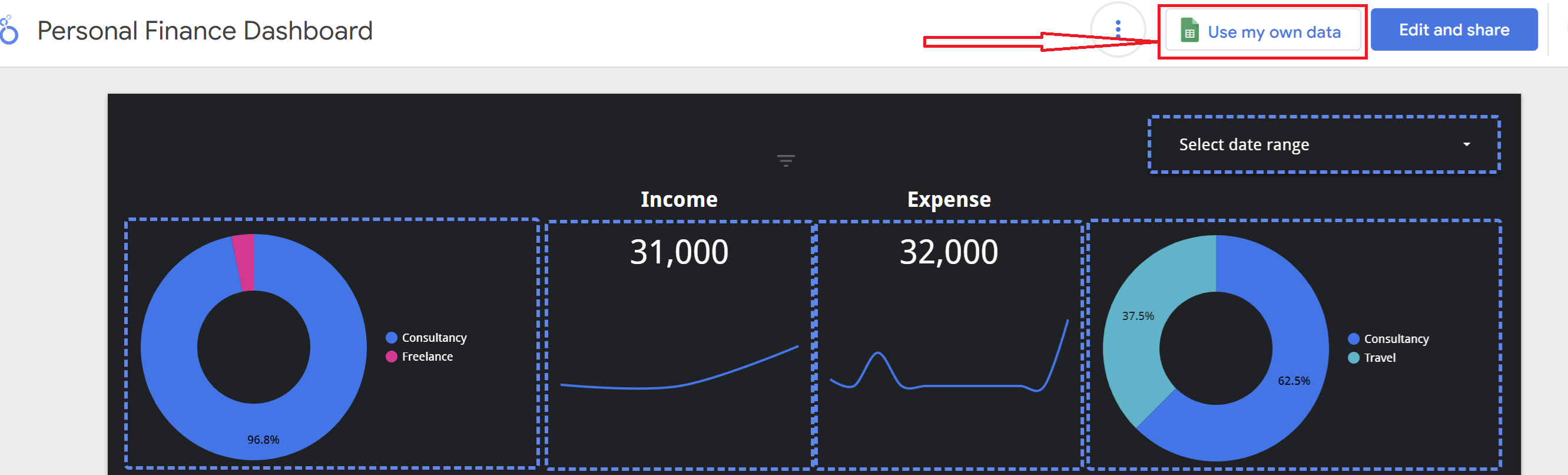
- Open our Looker Studio template: Open Template
- Click "Use my own data"
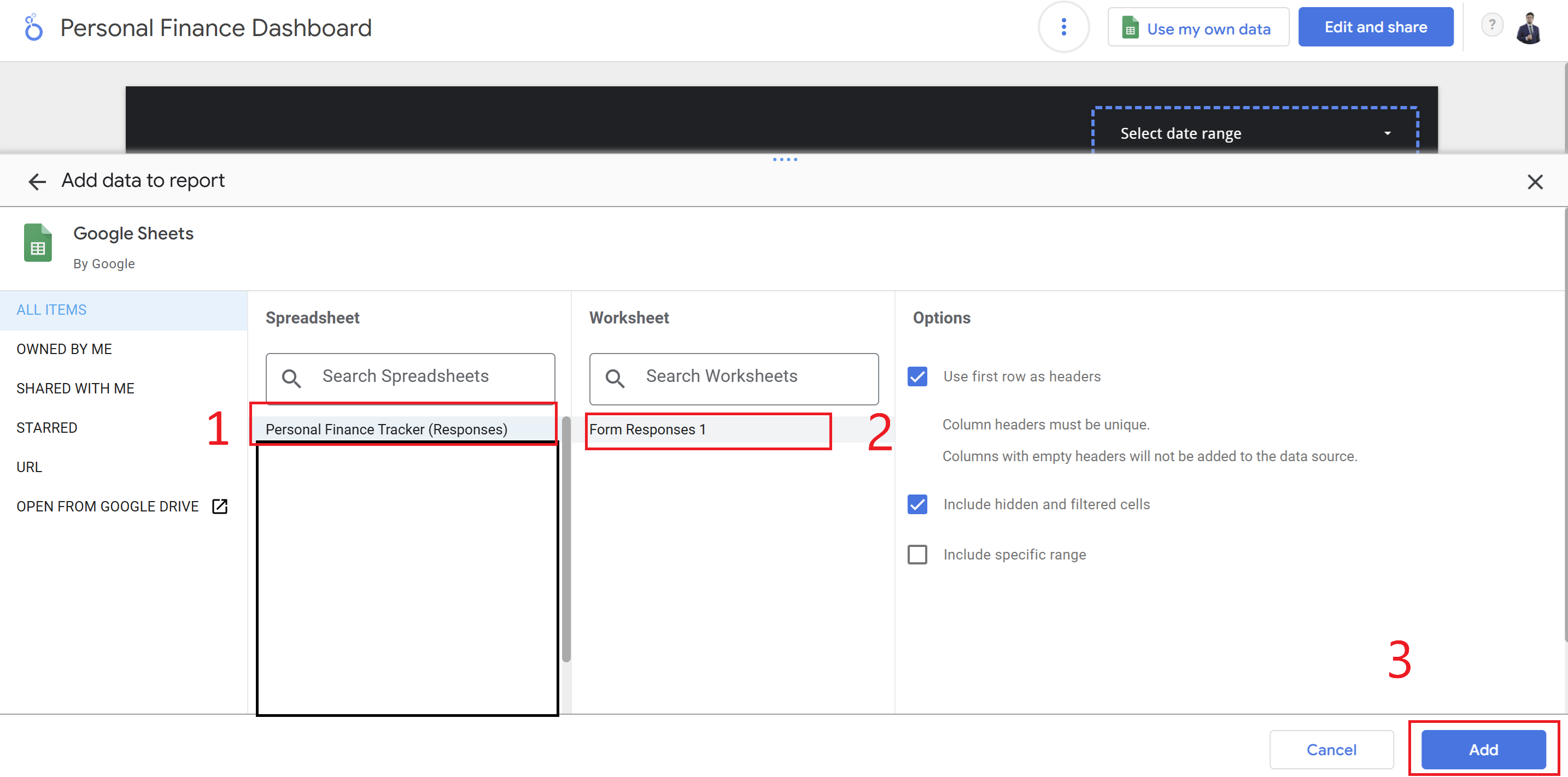
- In the next popup, select your worksheet as shown:
- Click "Add" to proceed
- Once the page loads, click "Edit and share"
- Your dashboard is now ready to use!
Pro Tips
- Daily Updates: Try to upload your expenses through the form every day for the most accurate tracking
- Customize Segments: Feel free to modify the dashboard segments according to your needs
- Regular Maintenance: Check your spreadsheet periodically to ensure all data is being captured correctly